See the whole issue
Organize pages and sections visually before production starts.

Free Flatplan designer · Press Studio
Map your publication before design begins. Arrange pages, assign content and advertisements, and work with your team in one shared flatplan. Create a Press Studio account to get started.
Start planning for free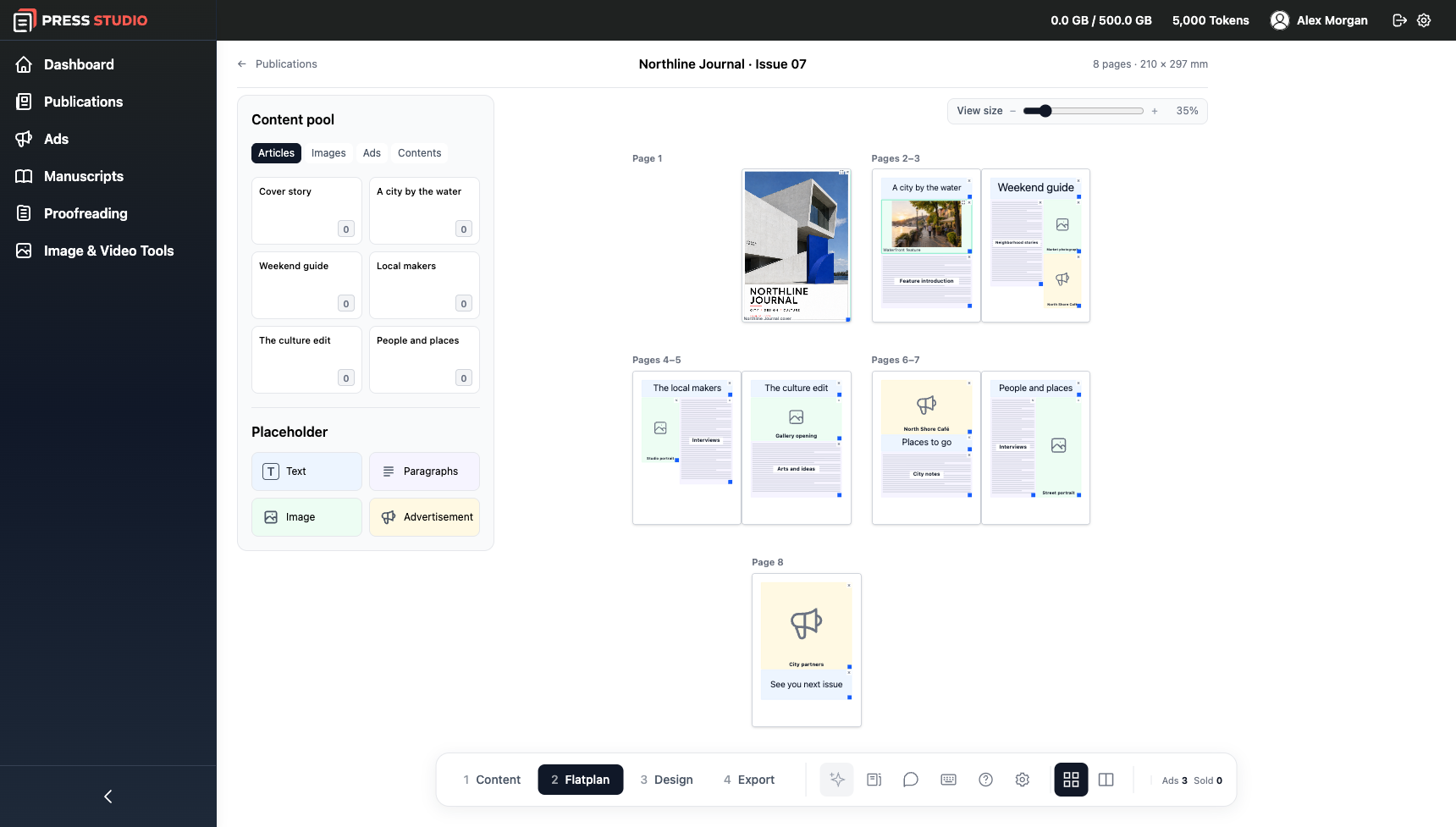
Organize pages and sections visually before production starts.
Invite teammates to coordinate content and review the plan.
Reserve advertisement positions alongside editorial pages.
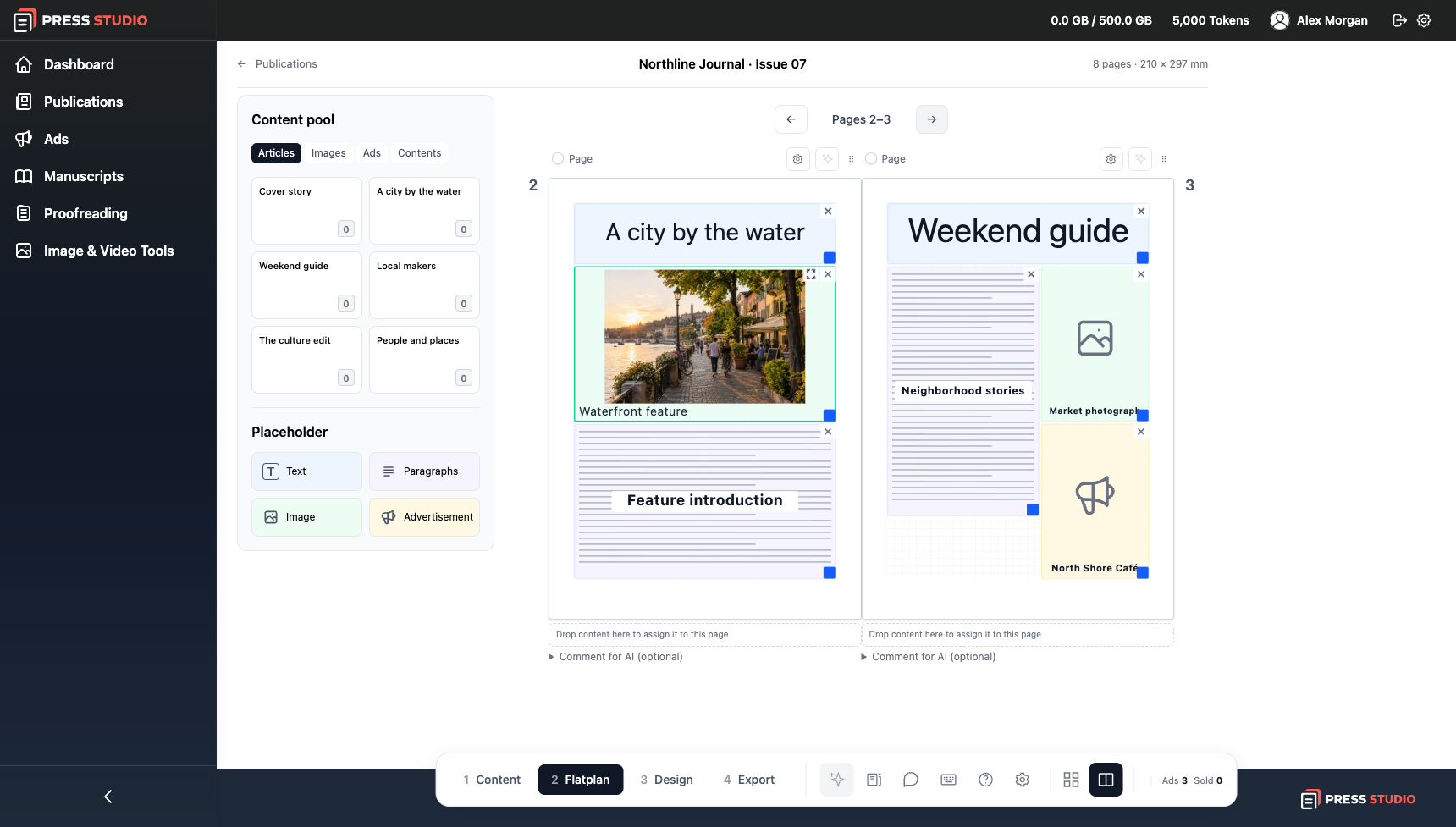
Keep page planning close to the rest of Press Studio. When you are ready, use Publication Designer and the other modules from the same account.
Start planning for freeStart with Press Studio
Get lasting access to manuscripts, advertisements, proofreading and Publication Designer. Plan publications with your team in the free flatplan designer.
A flatplan is a visual map of a publication before its pages are designed. It shows the page order, editorial content and ad placements so everyone can see the whole issue and spot gaps early.
Create a free Press Studio account, choose the page count and add the content you already have.
Arrange pages and spreads, place editorial content and reserve ad space in one shared plan.
Invite teammates to review the plan. Continue in Publication Designer when you are ready.
The collaborative flatplan designer is free to use with a Press Studio account, without a subscription. AI actions use tokens. Using AI to generate content or layouts is separate from planning pages manually.
It is for magazine publishers, editorial teams, print companies and other teams planning multipage publications. Use it to coordinate pages, editorial content and advertising before production.
Yes. Invite teammates to coordinate content and review a shared visual plan. A spreadsheet can hold a content list; the flatplan lets you see that content in its page and spread positions.
A flatplan organizes the publication before final layout. Press Studio’s separate Publication Designer can generate multipage compositions and export an editable IDML package for InDesign. Your team still reviews typography, assets and print requirements.
Use the same Press Studio account for publication design, proofreading and other production modules. AI actions consume tokens, and you can request more tokens when needed. Custom integrations can be scoped separately.
Tutorials
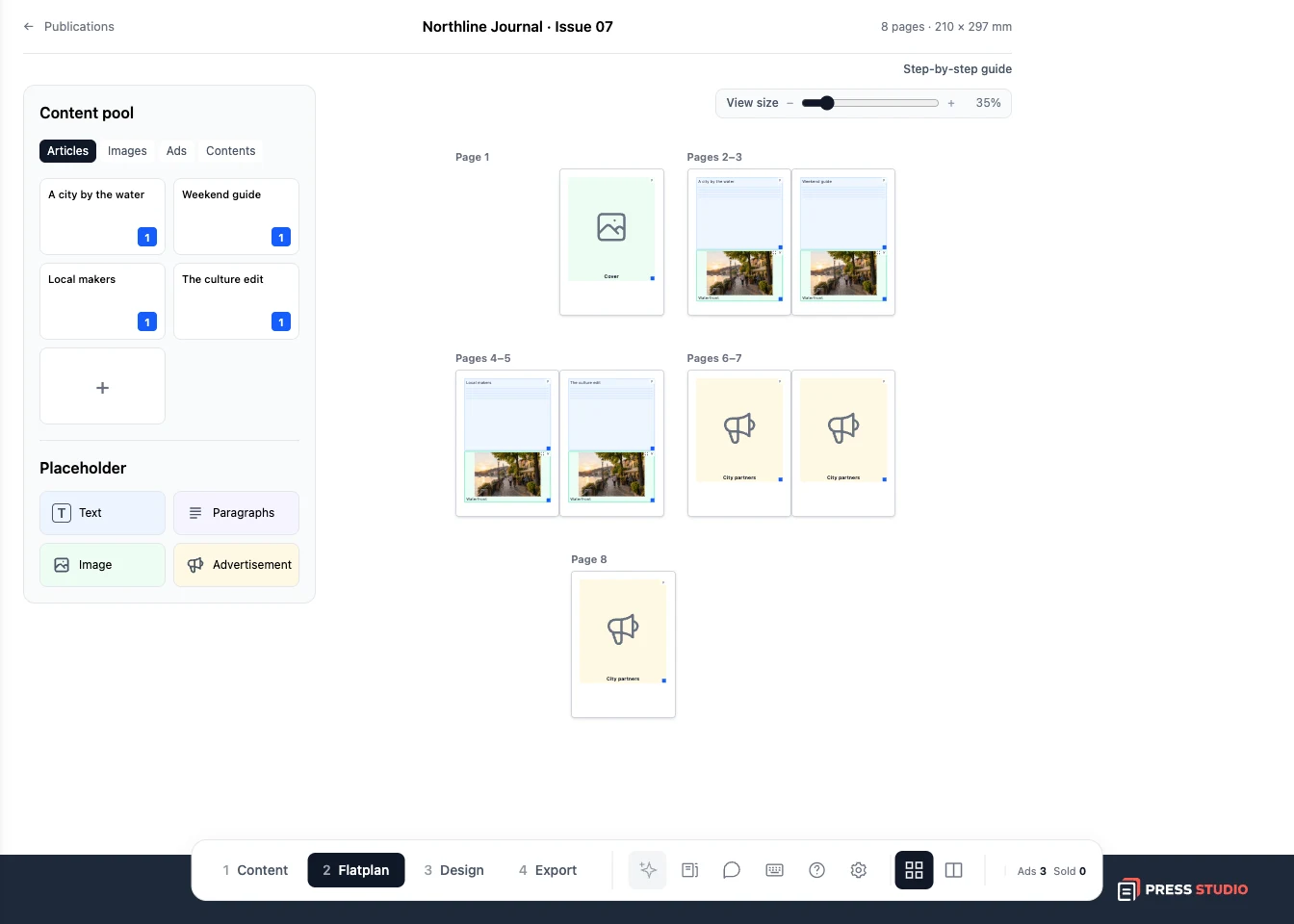
Follow a real example with screenshots, from your first article to an exported file.
Create a free Press Studio account and build your flatplan with your team.
Create your free account